How To Audit Mobile Usability
Mobile now accounts for over 60% of worldwide traffic, making mobile usability more important than ever for delivering an inclusive experience to all users
Introduction
Mobile now accounts for over 60% of worldwide traffic, making mobile usability more important than ever for delivering inclusive and rich experiences for all users.
Providing a compromised mobile experience to such a large share of users will inevitably have an impact on user satisfaction, and site performance.
This tutorial shows how to use the Screaming Frog SEO Spider to perform an audit of a website to identify common mobile usability issues using Lighthouse at scale.
Please note – An SEO Spider licence is required to perform the mobile friendly audit below.
1) Connect to PageSpeed Insights
Click ‘Config > API Access > PageSpeed Insights’ in the top level menu to connect to PSI.
There are two options to run PageSpeed Insights, ‘Remote’ and ‘Local’.
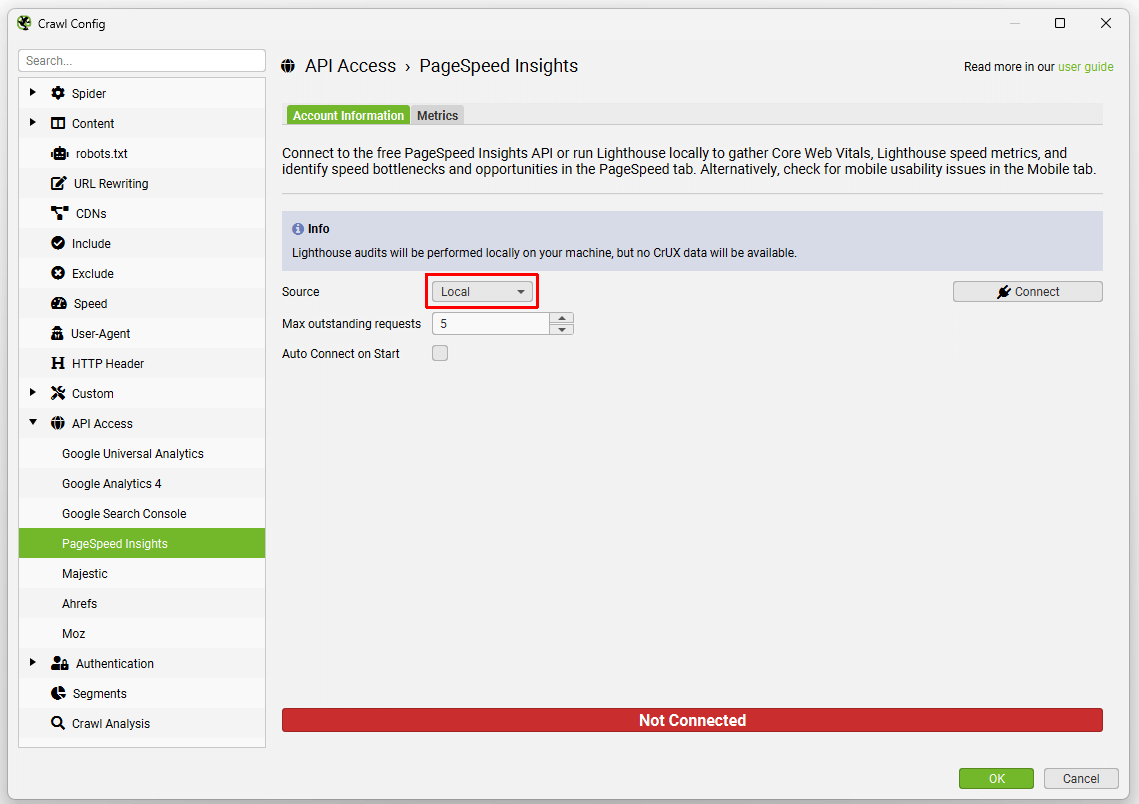
- Remote – This means Lighthouse is run on URLs on a remote server, and data is returned to the SEO Spider via the API. This requires a free PageSpeed Insights API key, which is easy to create by following the steps in our PageSpeed Insights integration guide. The benefits are that it won’t consume a local machines resources to run Lighthouse.
- Local – This means Lighthouse runs directly on the users machine. No API key is required. The benefits are that this can be used for sites that require authentication to access them, and it’s not limited to 25k queries a day like the remote API.
Either option work great, and most users don’t need to think too hard which to use.
Mobile friendly (and speed) checks can be viewed under the ‘Metrics’ tab, and should be enabled already – unless they have been disabled previously.
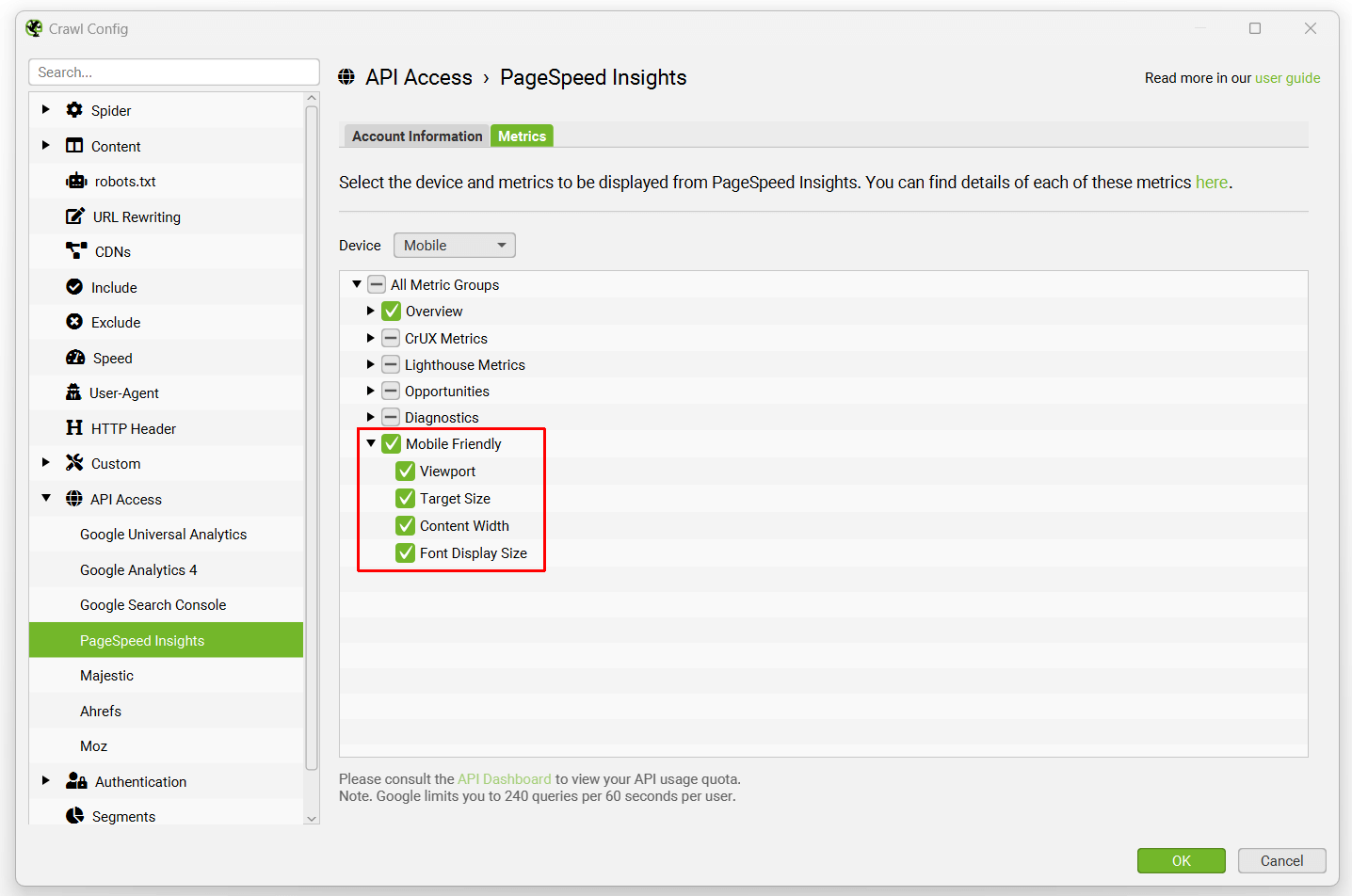
As Lighthouse will be running, it might make sense for some users to perform a speed audit at the same time. Please see our tutorial on how to audit Core Web Vitals.
Now select ‘Connect’ on the ‘Account Information’ tab.
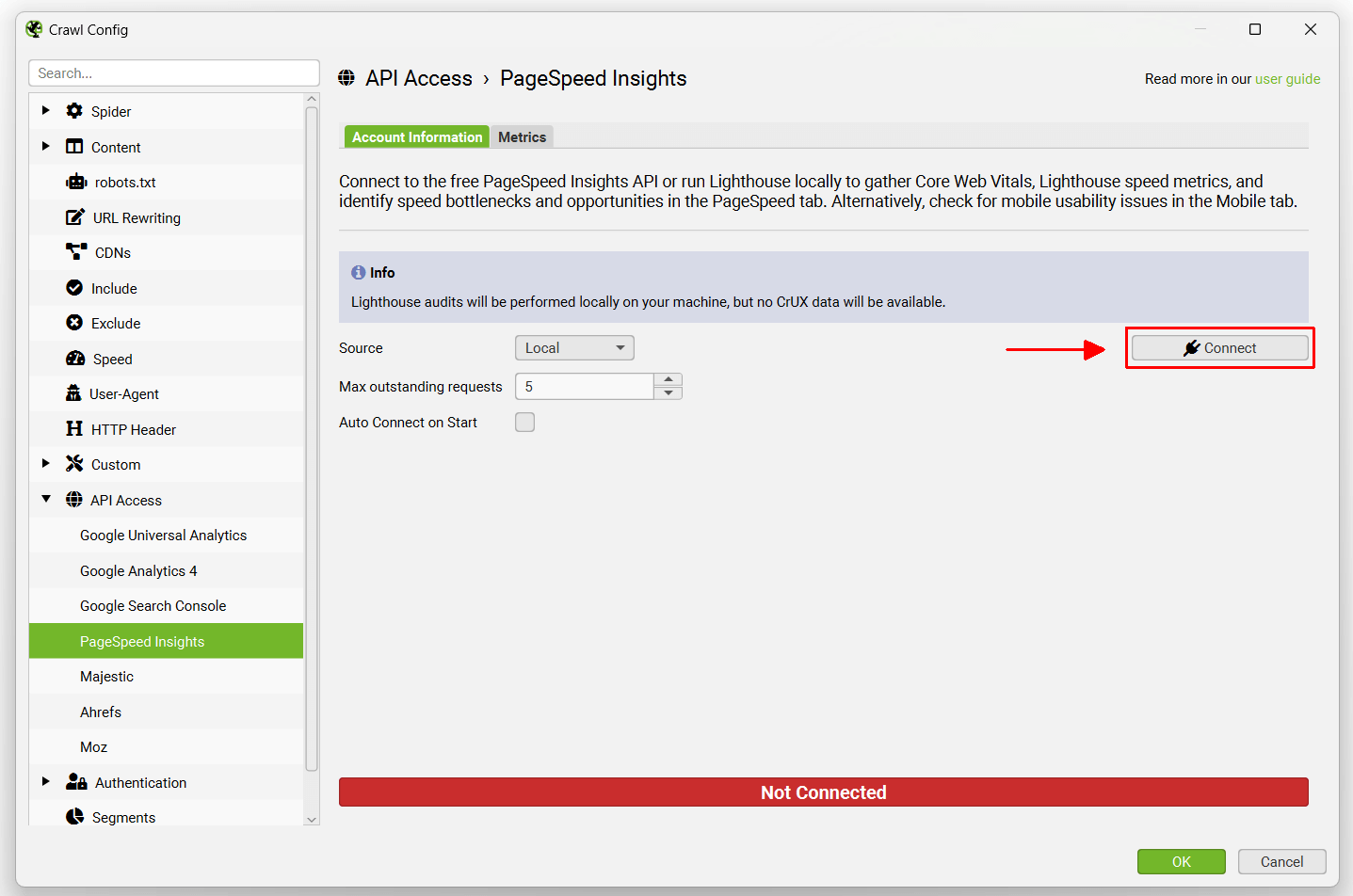
This means PSI with mobile usability checks are enabled and ready to go for any website crawled.
2) Enable Mobile Alternate Config
Navigate to ‘Config > Spider > Crawl’ via the top-level menu and choose to ‘Crawl’ and ‘Store’ mobile alternate links.
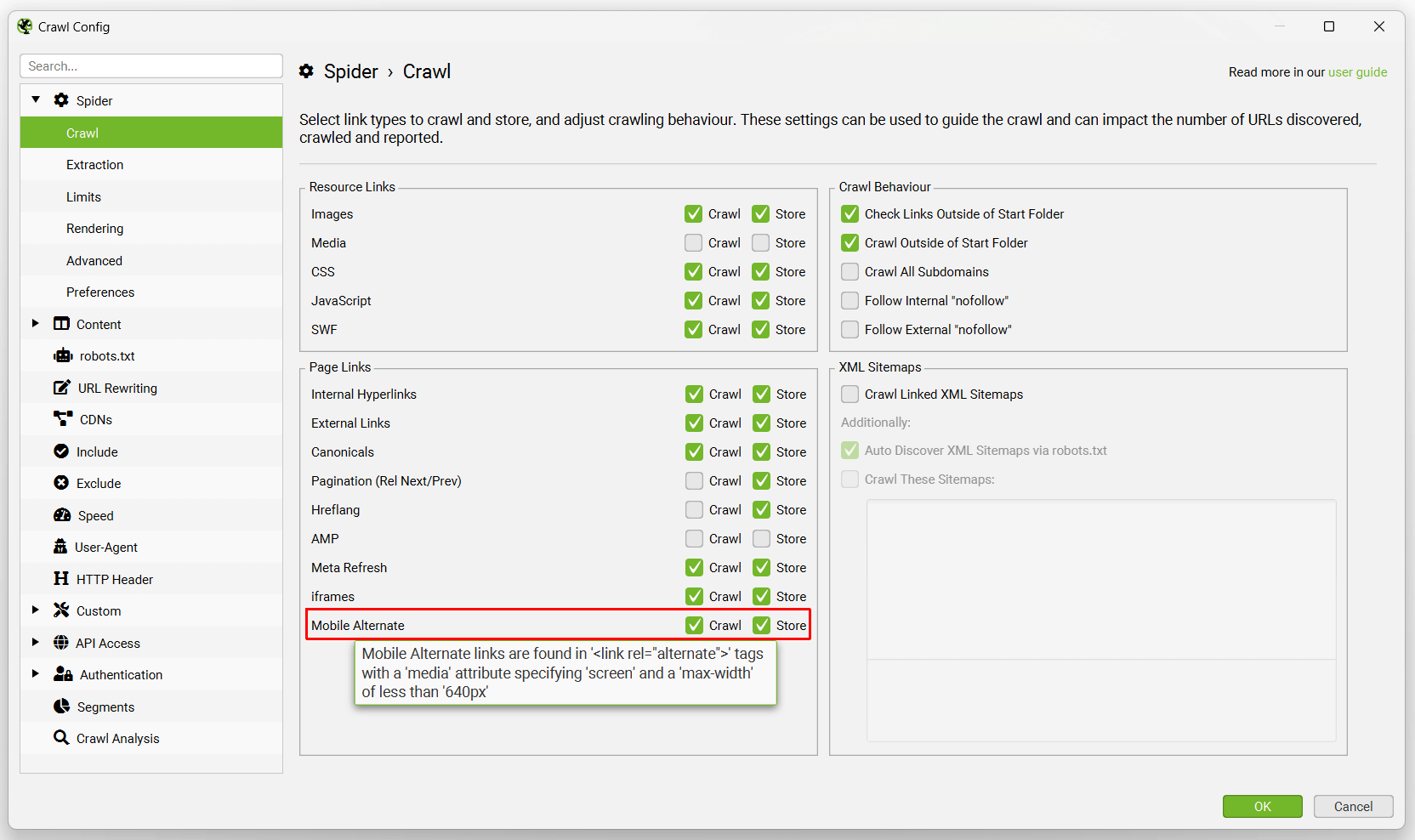
This allows the SEO Spider to crawl URLs contained in rel=”alternate” link elements and discover separate mobile versions of URLs if they exist.
3) Crawl the Site
Input the website to perform an audit of mobile usability into the URL bar at the top, and click ‘Start’.

The SEO Spider will then start crawling the website.
4) View the Mobile Tab
The Mobile tab contains all pages in the crawl, and a PSI status column that indicates when mobile usability has been analysed.
The Mobile tab has 6 filters for common mobile issues such as viewport not set, tap target size, content not sized correctly, illegible font sizes and more.
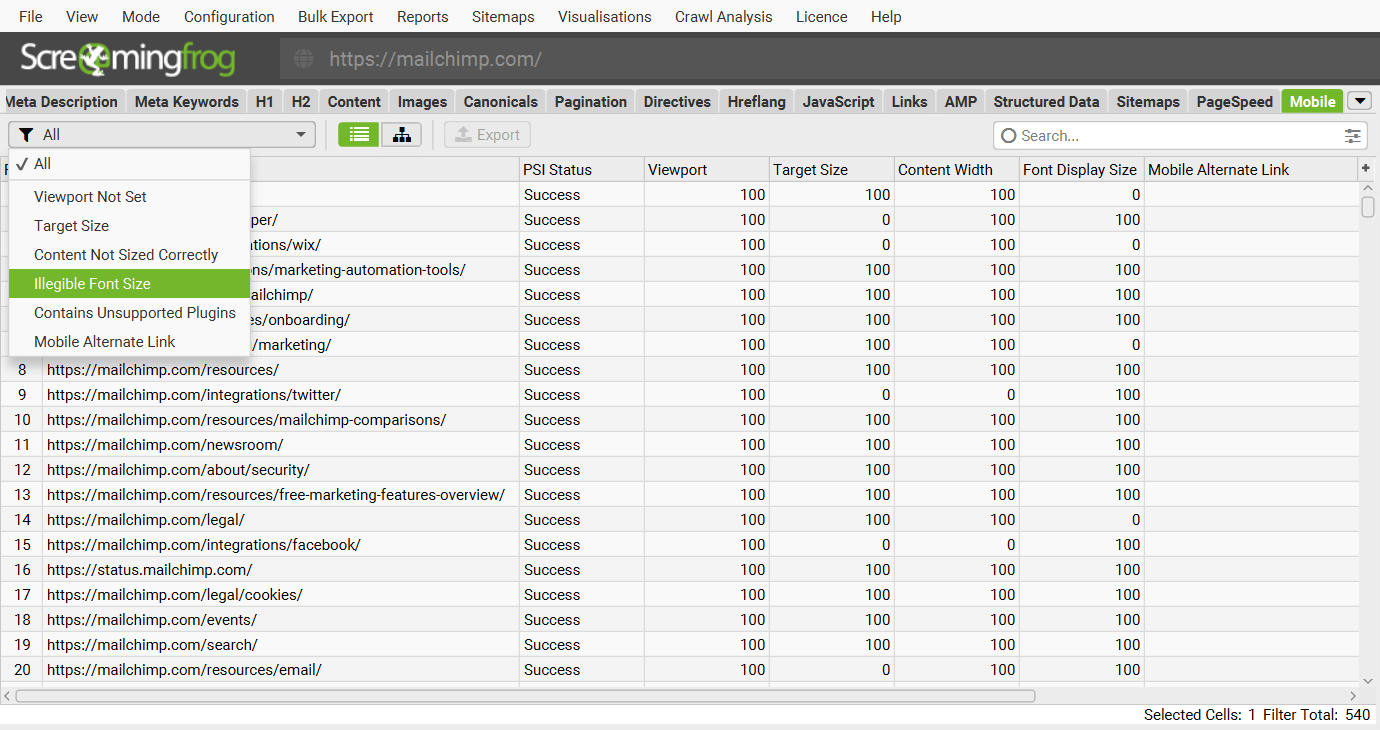
Each issue has a Lighthouse score in a column. ‘100’ is a pass, while ‘0’ represents an audit fail.
The right-hand Overview tab and Issues tab will both populate in real-time with any mobile related issues discovered on pages.
Mobile issues include –
- Viewport Not Set – Pages without a viewport meta tag, or a viewport meta tag without a content attribute that includes the text width=. Setting the viewport meta tag allows the width and scaling to be sized correctly on all devices. Without this set, mobile devices will render pages at desktop screen widths and scale them down, making the text difficult to read.
- Target Size – Pages with tap targets that are too small or there is not enough space around them, which means they are difficult to interact with on mobile devices. Tap targets (also known as ‘touch targets’) are buttons, links or form elements that users on touch devices can use. Insufficient size or spacing can also make it challenging for users with mobility impairments, or anyone experiencing difficulties controlling fine movement. Tap targets must be at least 24 by 24 CSS pixels in size.
- Content Not Sized Correctly – Pages with content that is smaller or larger than the viewport width, which means it may not render correctly on mobile devices. Lighthouse flags pages whose width isn’t equal to the width of the viewport.
- Illegible Font Size – Pages with small font sizes that can make it difficult to read for users on mobile devices. Lighthouse will flag pages that have font sizes smaller than 12px, which make up more than 40% of the page text.
- Unsupported Plugins – Pages with browser plugins such as Flash, Silverlight, or Java Applets that most mobile devices and browsers do not support and search engines cannot index.
- Mobile Alternate Link – Pages that contain a rel=”alternate” link element to a mobile version. While this is an acceptable set up, it means serving different HTML to each device on separate URLs. This can often be less efficient than a responsive design approach.
Refer to our mobile usability issues library for more detail on each.
5) Analyse using Lower Lighthouse Details Tab
Granular details of mobile usability issues can be viewed by clicking on a URL in the top window pane, and then the lower ‘Lighthouse Details’ tab.

This data can be exported individually for a URL by using the ‘Export’ button.
6) Bulk Export Mobile Usability Issues
Bulk exports of mobile issues including granular details from Lighthouse are available under the ‘Reports > Mobile’ menu.
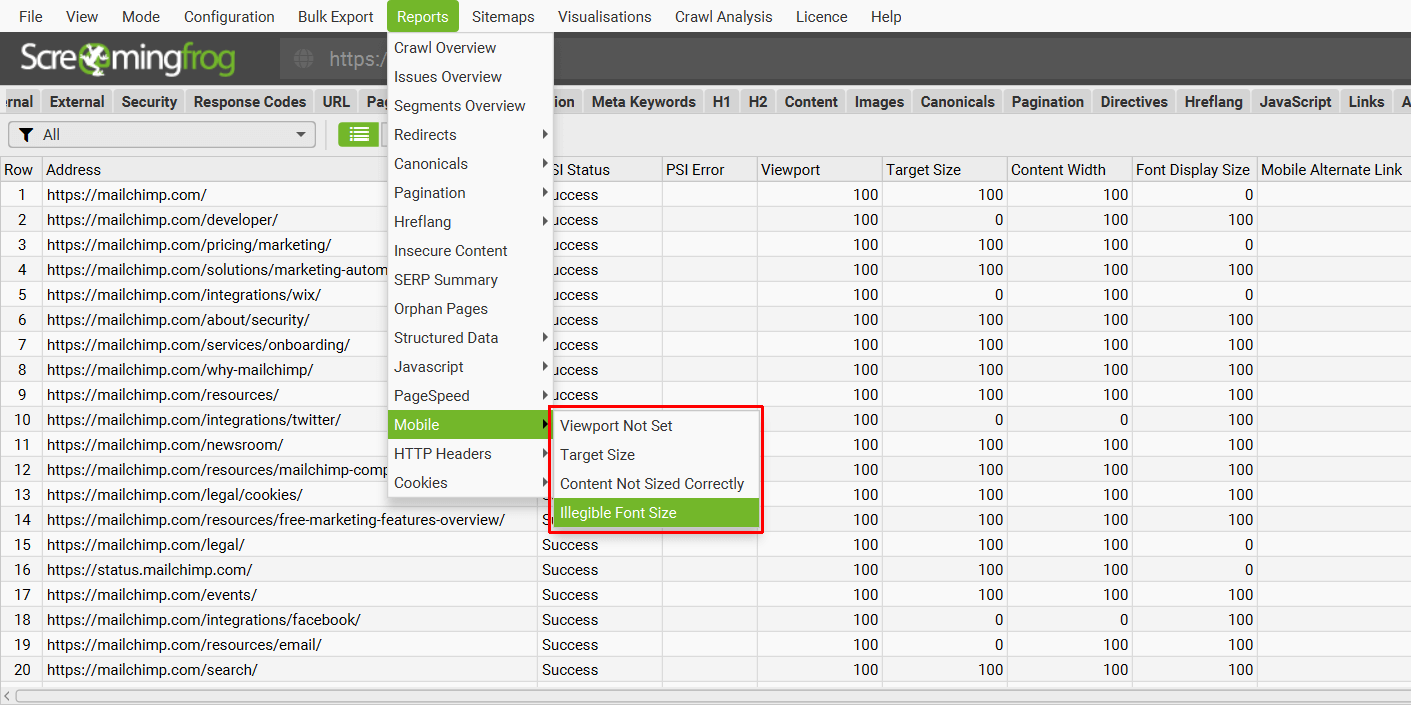
This will export the detailed mobile issue data seen in the Lighthouse Details tab for all URLs.
7) Monitor Progress API Progress
The mobile usability checks performed are usually slower than the crawl itself as they are run in Lighthouse, so there’s a few ways to keep an eye on progess.
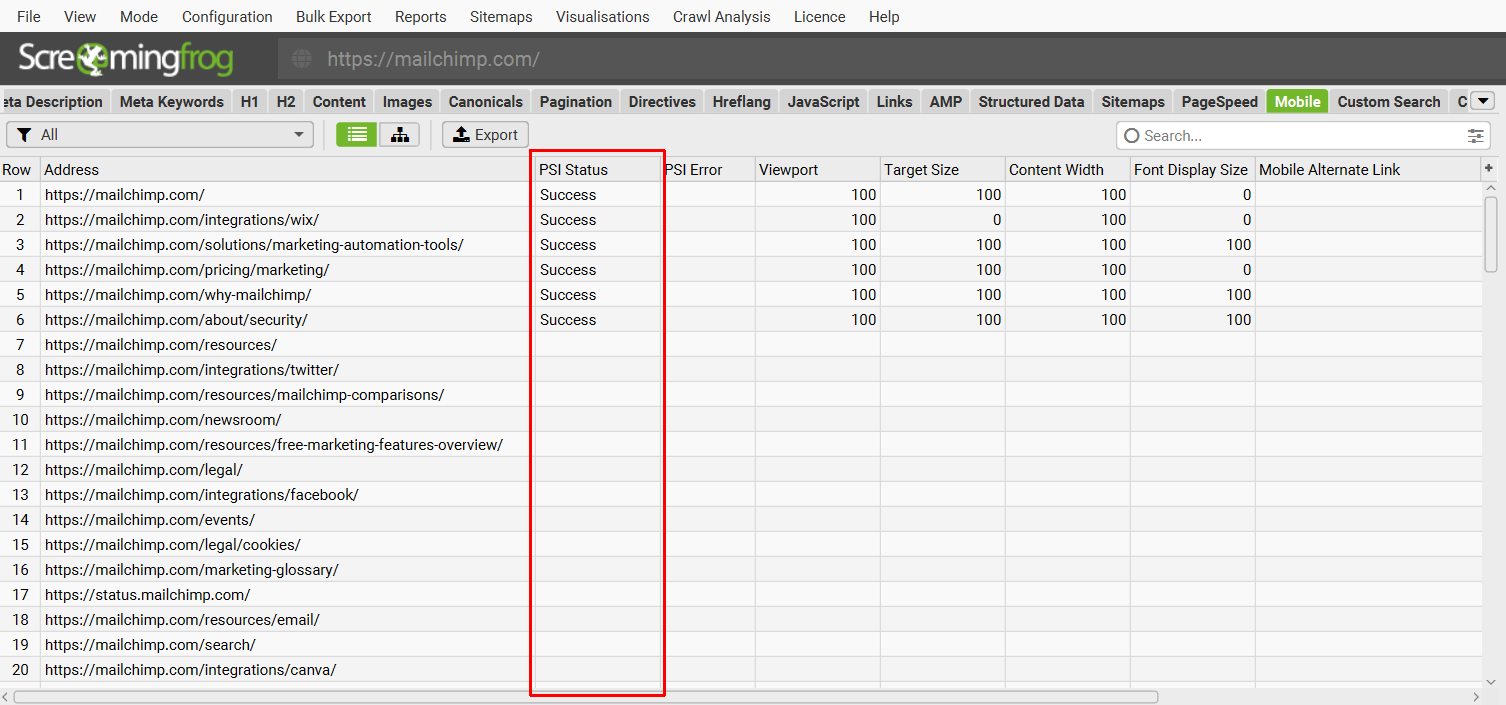
The ‘PSI’ column in the Mobile tab will populate with ‘Success’ or an ‘Error’ when it’s been queried. When it’s blank it has yet to be processed.
The right-hand API tab and progress bar also both show the progress of HTML URLs that have been checked so far.
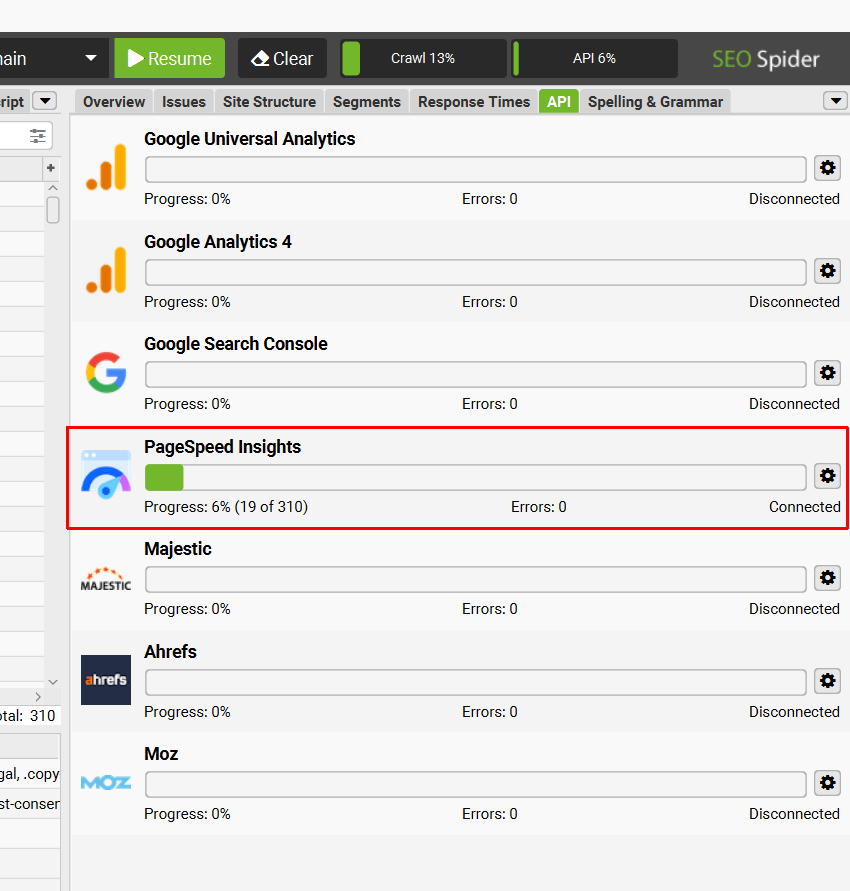
Once this reaches 100% then all pages will have been audited for mobile usability issues in Lighthouse.
Support
This tutorial should help users perform a mobile usability audit at scale across any website using the SEO Spider. If you experience any issues, check out the following guides and FAQs –
- PageSpeed Insights Integration Guide
- Why is my PageSpeed Insights API key invalid & displaying ‘failed to connect’?
- Why do I see an ‘Error’ Status for PageSpeed Insights?
Alternatively please contact us via support and we can help.